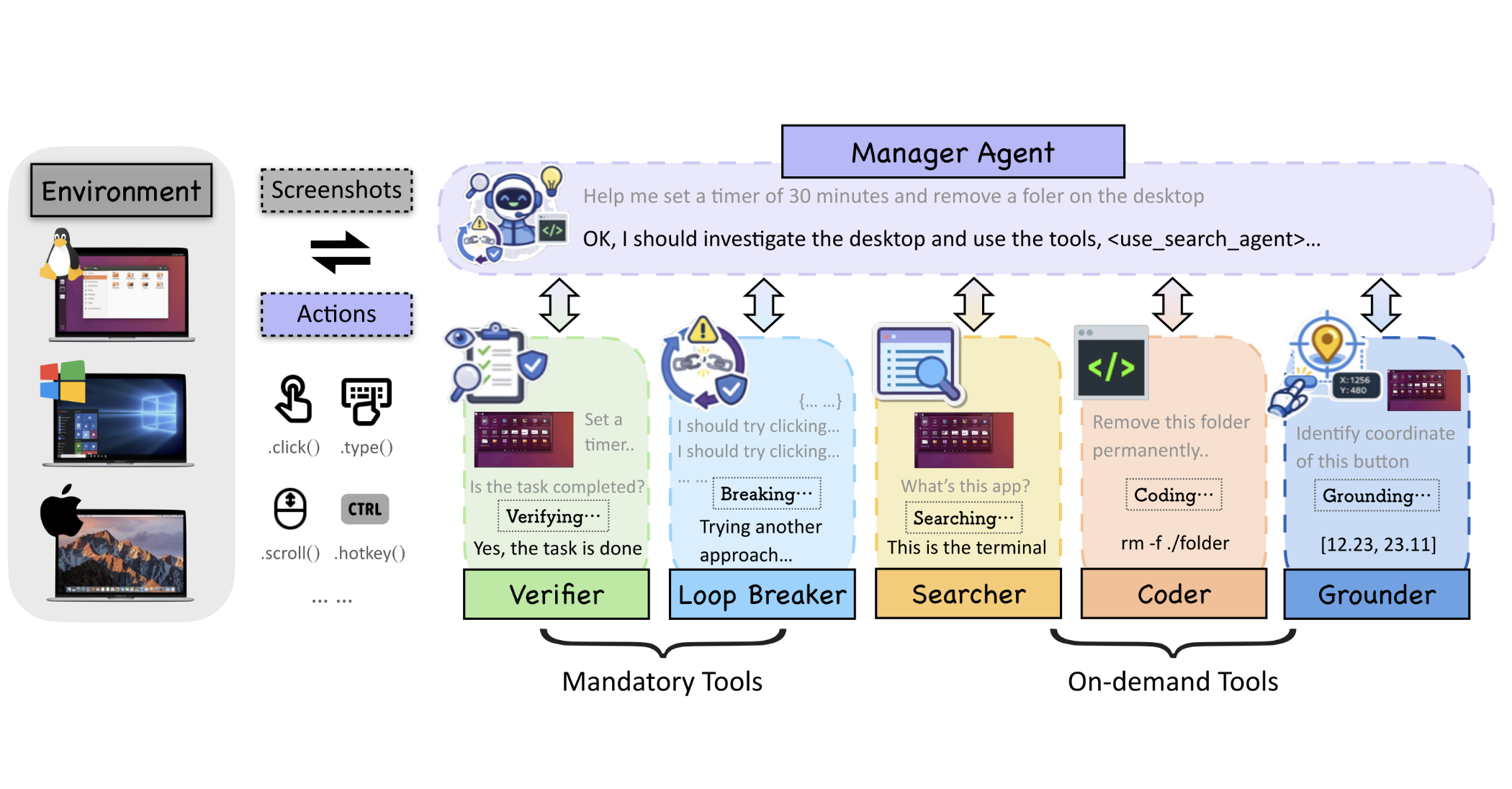
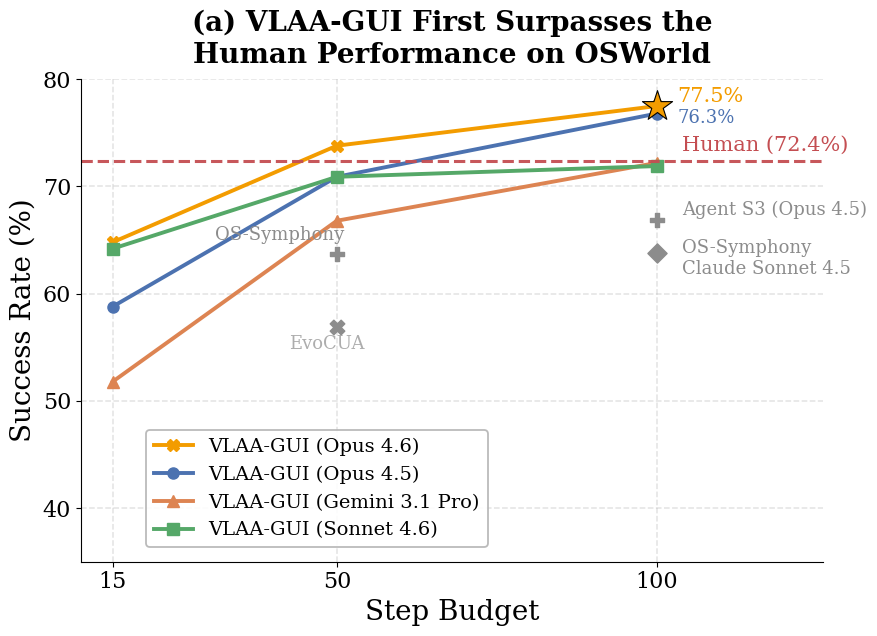
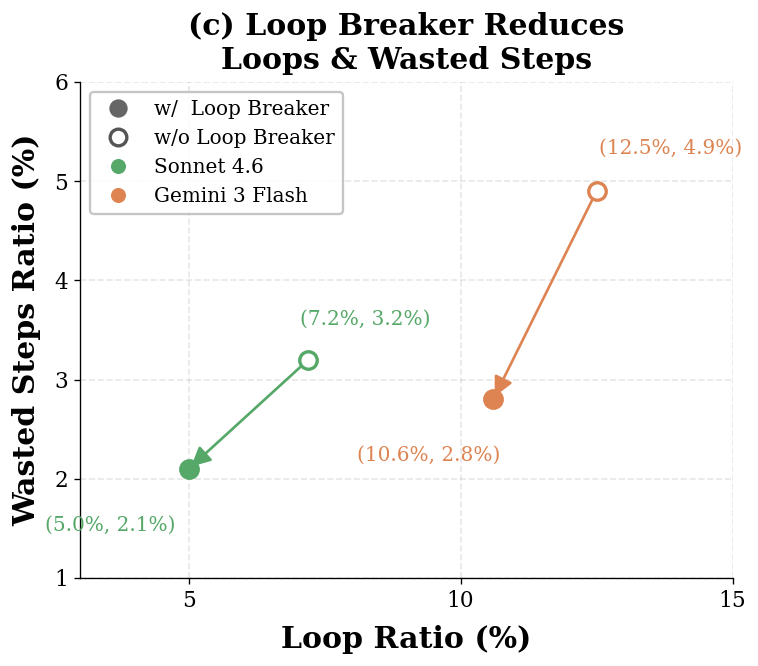
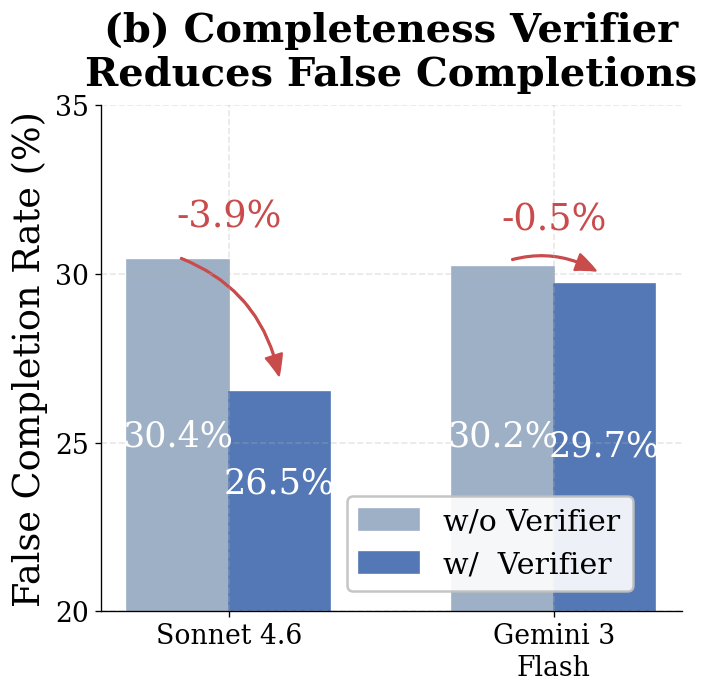
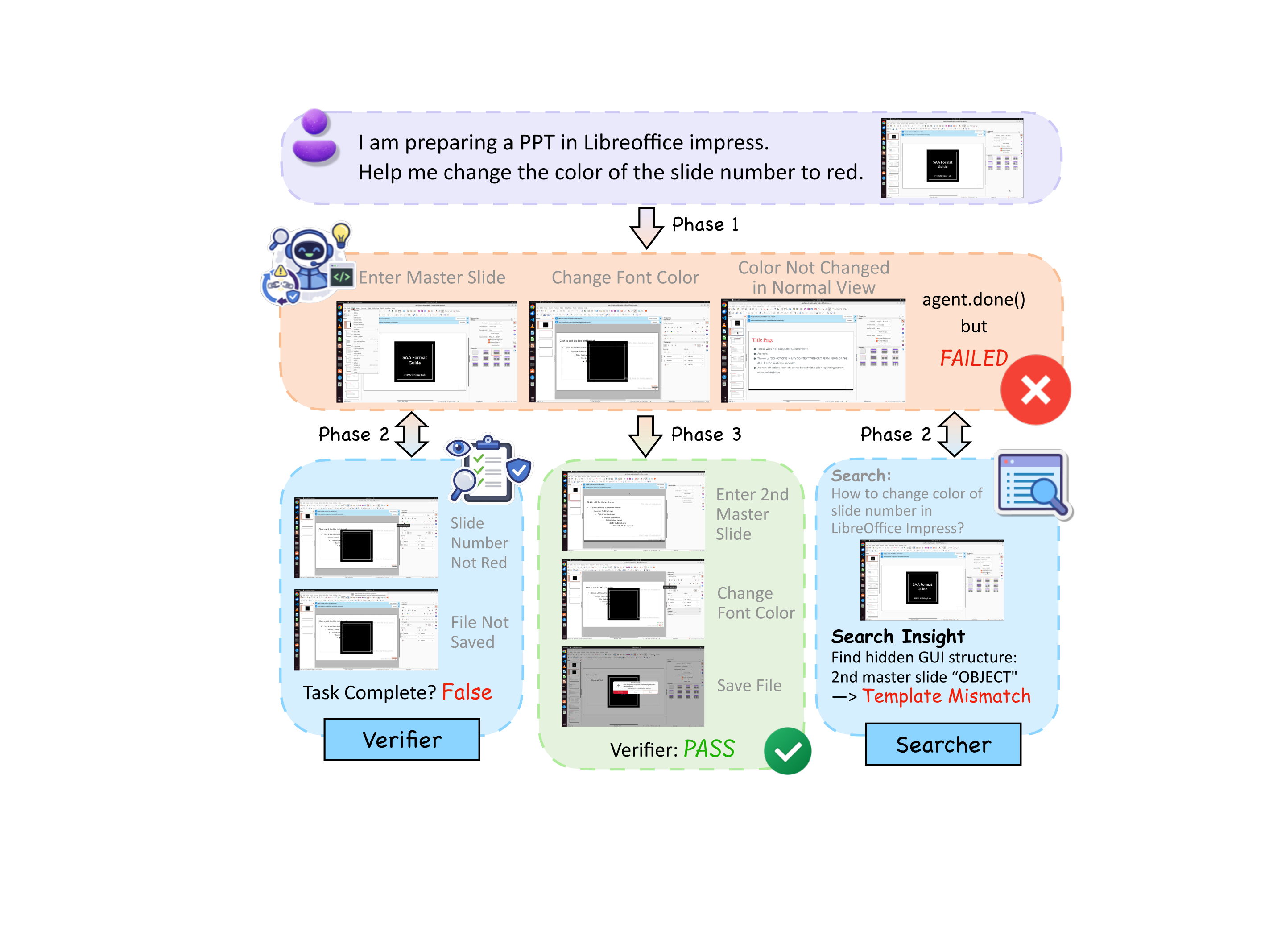
We introduced VLAA-GUI, a modular GUI agent framework organized around three decisions every long-horizon agent must make well: when to STOP, when to RECOVER, and when to SEARCH. A mandatory Completeness Verifier closes the false-completion gap that dominates GUI failures, a tiered Loop Breaker escalates across modalities and strategies to escape repetitive behavior, and a text-only Search Agent supplies external workflow knowledge without paying the cost of browser interaction. Paired with five top-tier backbones, VLAA-GUI reaches 77.5% on OSWorld-Verified and 61.0% on WindowsAgentArena, with three backbones surpassing human-level performance in a single pass—while the 15-step configuration already beats the best published 50-step system.
Several directions remain open:
- More Advanced Planning Strategies. The current Manager operates in a flat, iterative planning mode—one screenshot in, one action out—with no long-horizon task decomposition or lookahead. Richer planning strategies could help on the tasks where VLAA-GUI still stalls.
- Comprehensive Memory System. VLAA-GUI currently carries only the in-trajectory context of a single task—there is no persistent memory across tasks, across applications, or even across sessions on the same application. A well-structured memory system would let the agent leverage the experience of previous interactions, providing a richer context for decision-making.
- Visual Grounding with Tools. The current Grounding Agent consumes the full 1920×1080 screenshot and returns coordinates in a single shot—adequate for large, distinct UI elements but brittle on small icons, dense toolbars, or visually similar controls. A more capable grounder would expose a small visual tool library that it can call iteratively: crop to a predicted region, zoom in to resolve sub-pixel ambiguity, annotate candidate elements with numeric labels for disambiguation, and re-ground on the focused region. Integrating these tools also lets the same crop/zoom stream feed the Completeness Verifier, tightening evidence-based success checks for actions whose outcome is localized.
We hope VLAA-GUI's modular view—that reliability comes from mandatory, post-action checks rather than better single-shot reasoning—offers a useful foundation for the next generation of GUI agents.